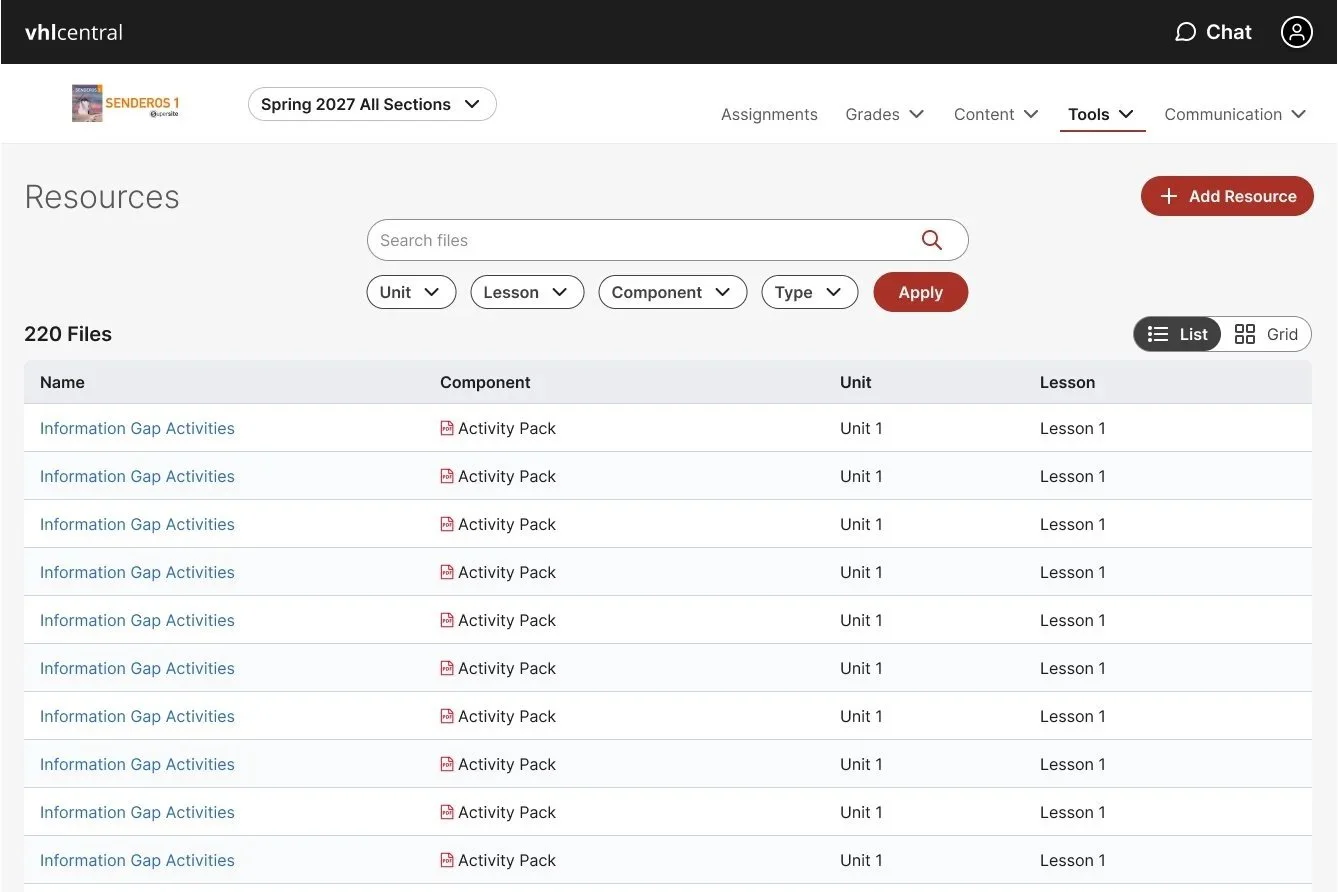
Platform Tool Redesign: Resources
THE PROJECT
This project for Vista Higher Learning builds on a platform-wide design refresh that started in January 2024. The goal was to make the extensive instructional resource collection easier to discover and use, while modernizing the experience with the new design system to be accessible, scalable, and consistent across programs. Users affected included Instructors, Students, and Tech Producers.
The goal was to transform Resources from a legacy file repository into a modern, searchable instructional asset library that helps educators quickly discover, evaluate. It followed two main strategic pillars: Educator-First Simplicity & Intentional Visual Modernization. We also wanted to increase adoption and retention by reducing recurring educator friction.
I was the lead user experience designer on this project, working closely with the Principal Product Manager, Engineering Manager, Tech Lead, and scrum team along with key cross-functional team members from editorial, sales, and marketing.
THE PROCESS
DESIGN
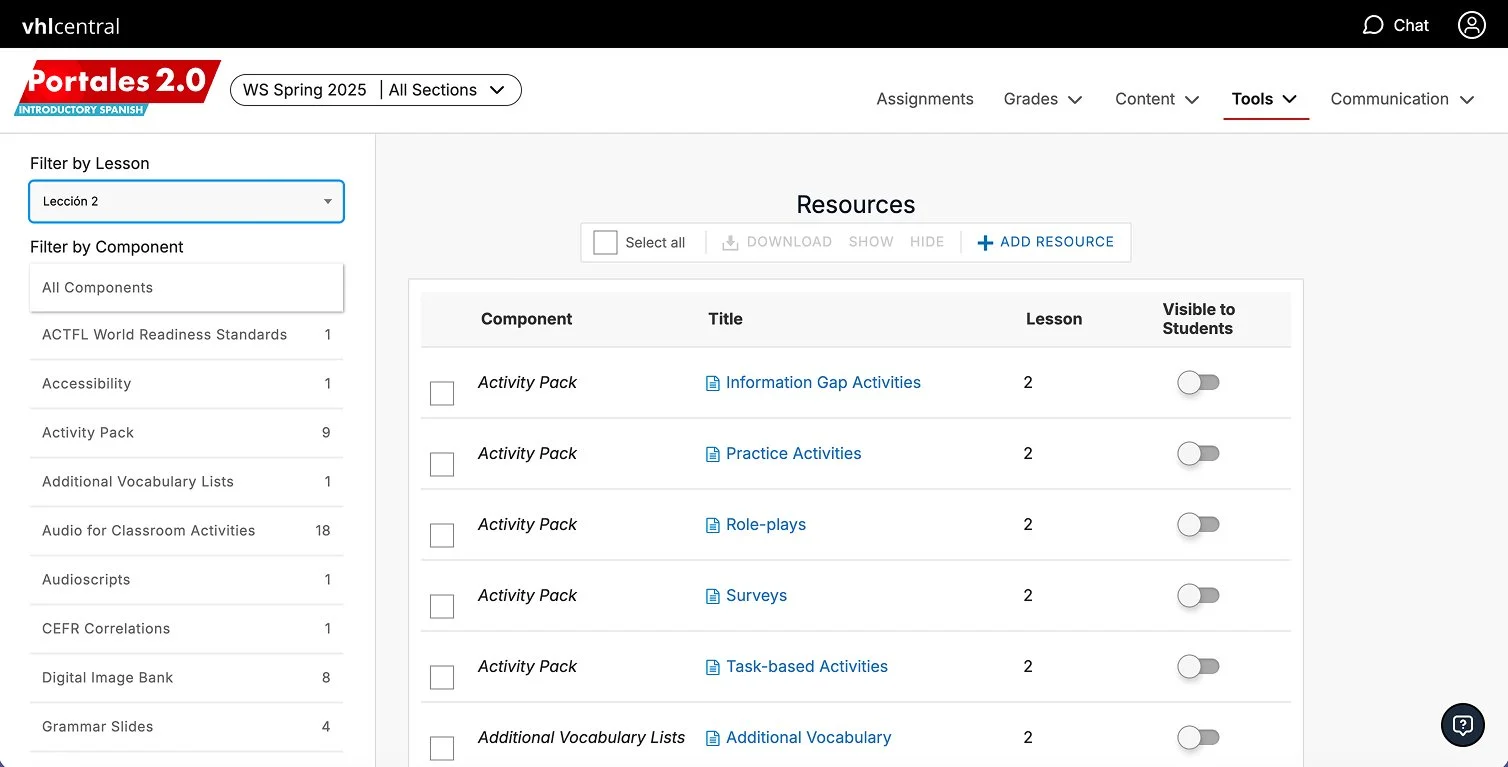
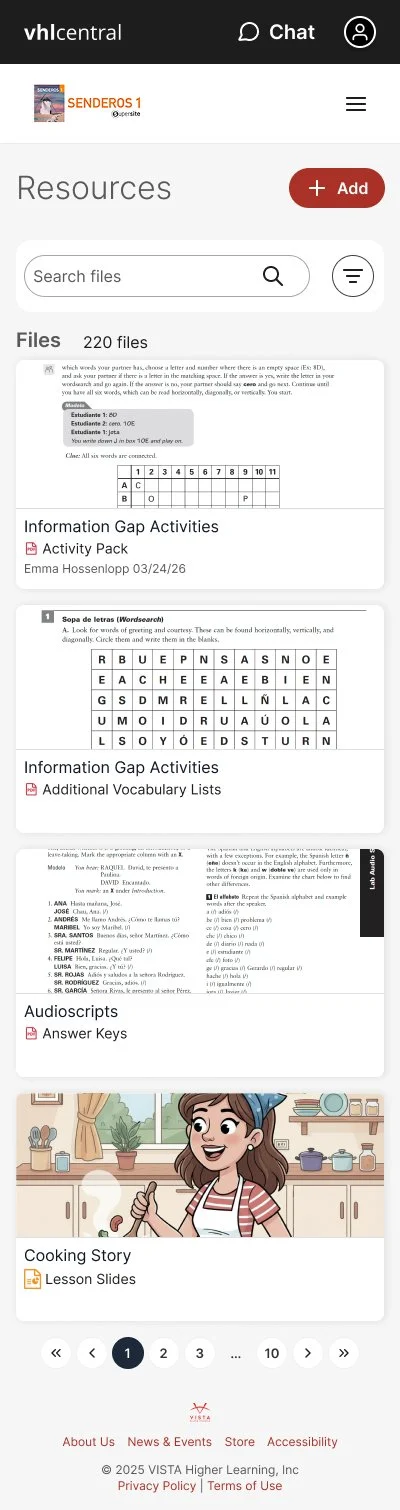
During the design exploration phase, I reviewed the legacy experience and developed exploratory wireframes, mockups, and prototypes to evaluate opportunities for improvement and establish a forward-looking design direction. I partnered closely with engineering, who simultaneously developed an AI-powered proof of concept (POC) to test concepts and explore potential technical solutions. I also leveraged Figma Make to accelerate design exploration and increase delivery speed, applying a discerning eye to AI-generated outputs and iterating with intention to ensure solutions aligned with the overall experience and design vision. Throughout the process, I considered architectural direction and technical feasibility early on to help inform and guide design decisions.
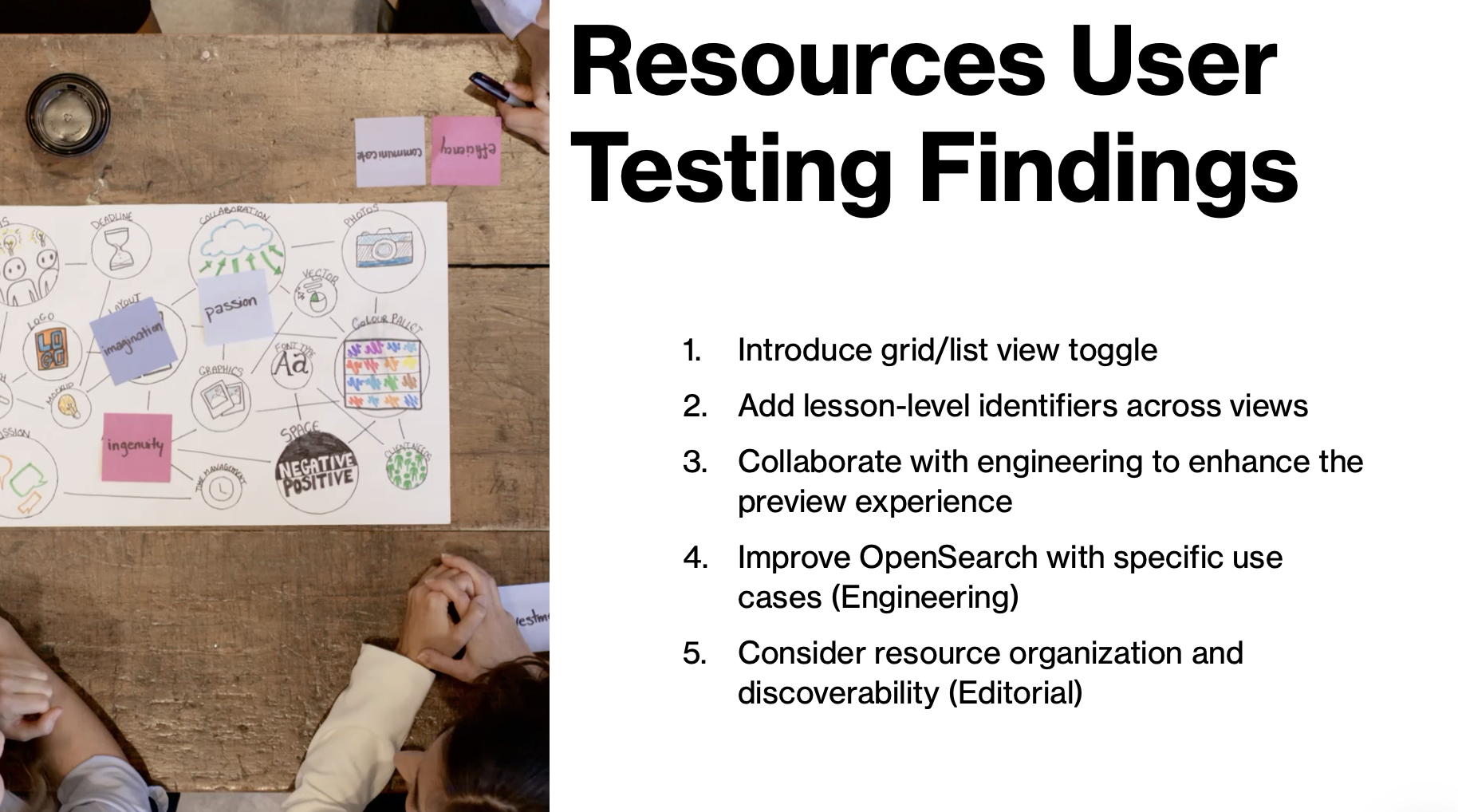
In addition to driving the design exploration, I managed and mentored junior designers, providing guidance and support through concept development, design iterations, and refinement. I leveraged and extended the existing design system to maintain consistency while exploring new patterns and opportunities. Final design deliverables accounted for responsive experiences across screen sizes, including mobile, ensuring the proposed solutions were cohesive, scalable, and adaptable across devices.
USER RESEARCH
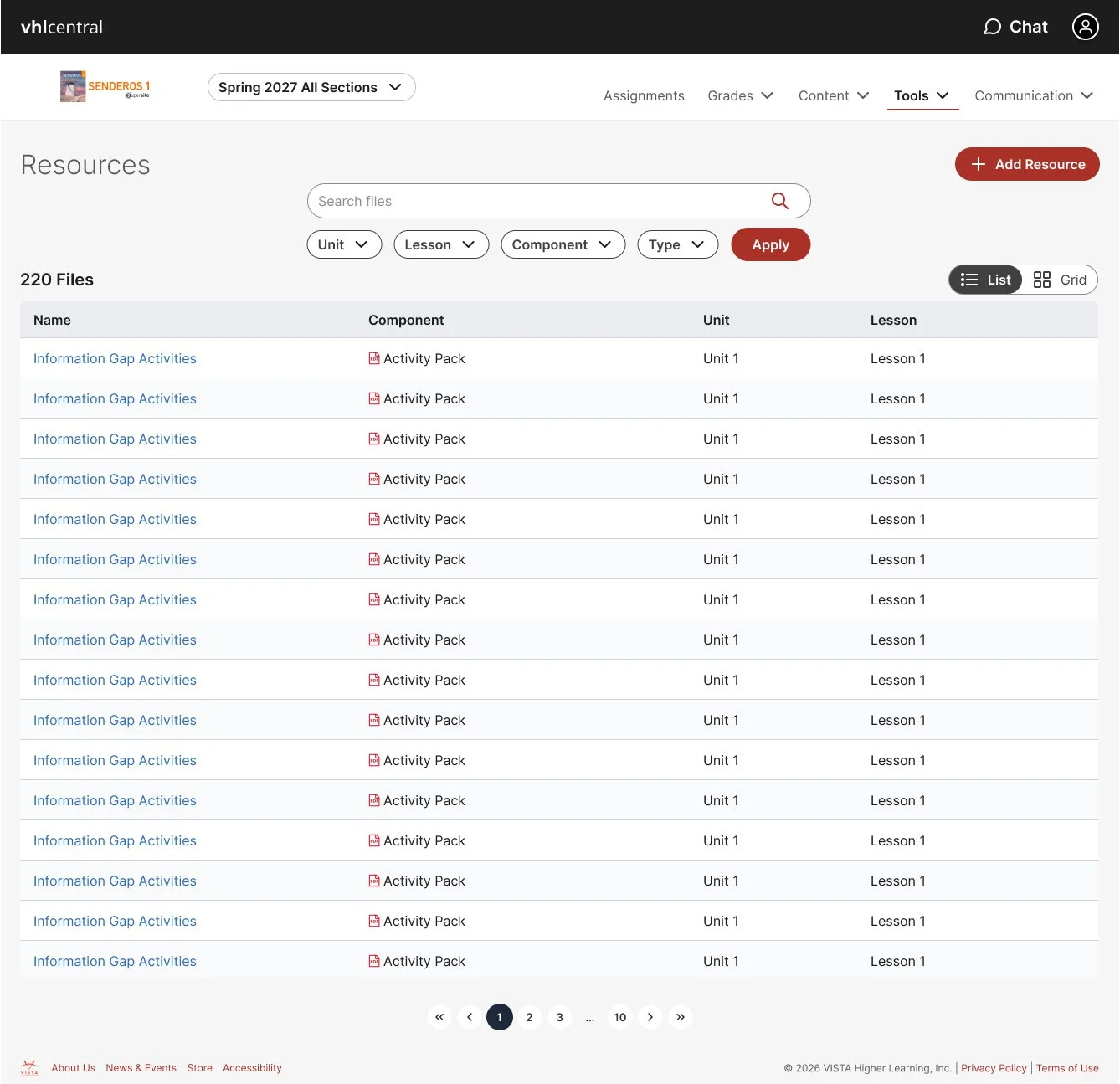
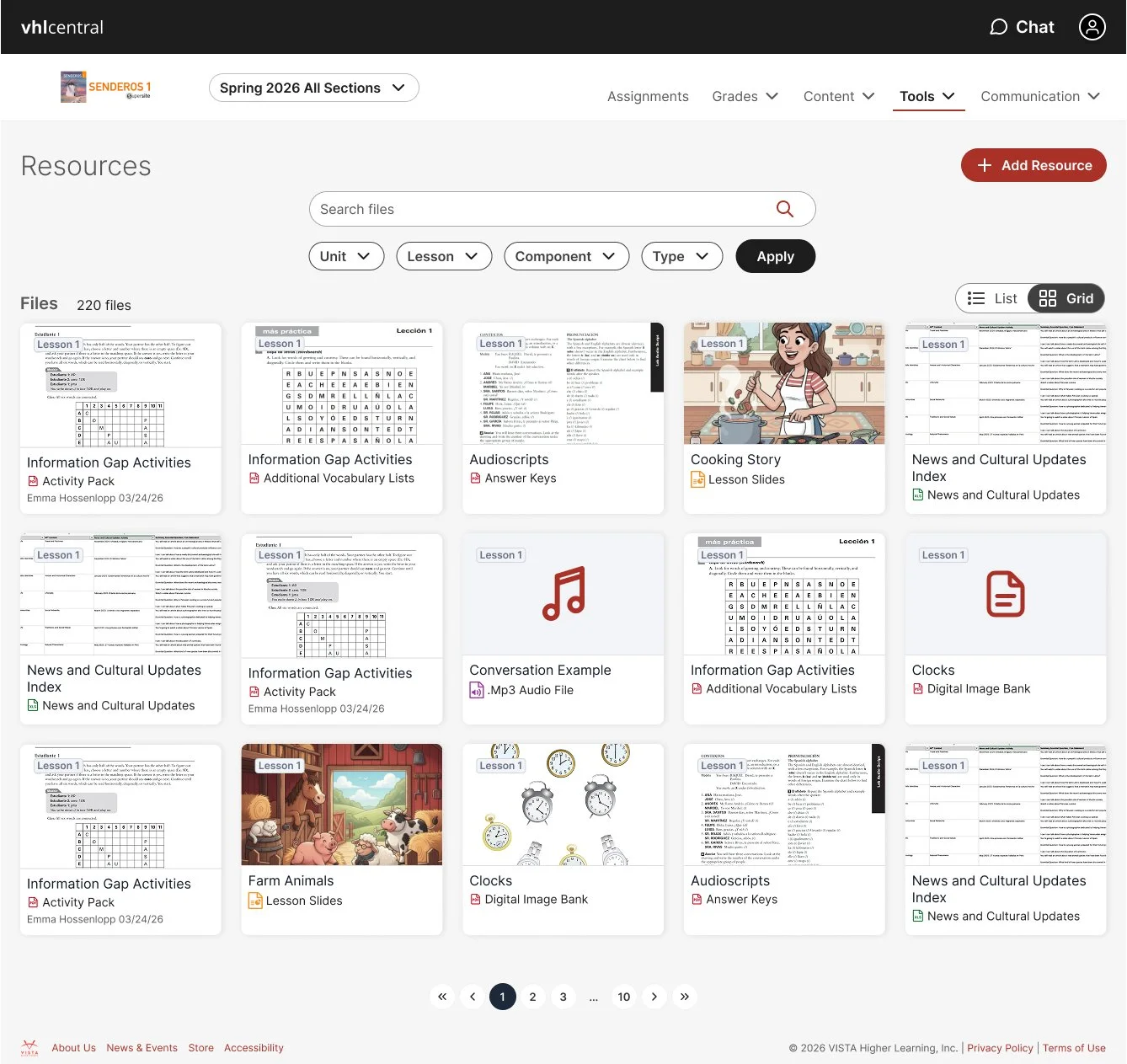
I led the end-to-end research process to evaluate the redesigned Resources experience, conducting feedback sessions with seven educators across higher education and K-12. Participants identified usability issues, points of confusion, and opportunities for improvement. Overall, the redesigned experience was well received, with educators responding particularly positively to the lesson-based navigation, filtering capabilities, and file previews. Research surfaced actionable insights, including the need to balance rich visual previews with a more scannable, list-oriented layout, strengthen lesson-level organization, improve full-document previews, refine search functionality, and simplify resource options for educators who primarily rely on a smaller set of materials. I translated these findings into design recommendations.
I managed the research process from participant identification through stakeholder presentation and design implementation. I used QuickSight data to identify moderate users of the existing experience, partnered with Sales to understand customer standing and validate outreach opportunities, and coordinated interview scheduling through HubSpot. I conducted virtual research sessions using Microsoft Teams, supported by recordings and facilitator notes. To accelerate analysis, I leveraged AI-powered note-taking and summaries to identify emerging themes and insights, validating AI-generated recommendations against my own notes to mitigate bias and ensure important findings were not overlooked. I also used AI to surface relevant participant quotes to bring research insights to life. I presented findings and recommendations to business strategy leaders, cross-functional partners, and the responsible scrum team, helping align stakeholders on improvements ahead of release. Following the research, I iterated the designs based on agreed-upon recommendations and partnered with engineering to refine solutions for efficient development and timely delivery.
THE OUTCOME
Designed and delivered a cohesive solution with the following criteria:
Leveraged new design system for all users (Student, Instructor, and Tech Producers).
Added search functionality with OpenSearch technology, using resource name, type, and other data.
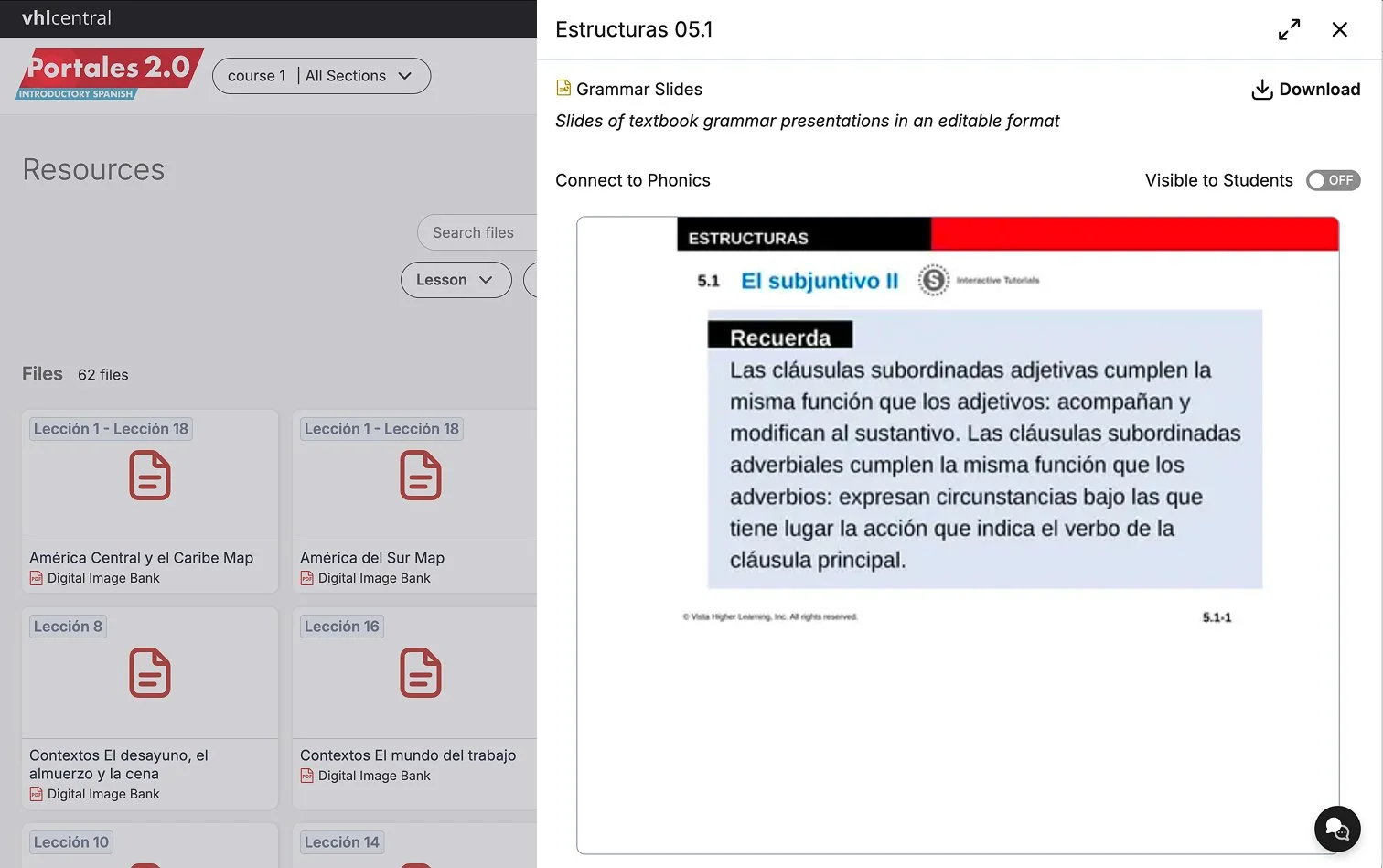
Added ability to preview easily in full screen.
Minimized ability to download resources, including removal of bulk download and offering a per-resource print option, when appropriate.
Included copy updates to support 6-12 market.
Updated elements are accessible per WCAG 2.2 AA.
Addressed critical and major bugs reported in VPAT testing and by internal users
Strengthened this tool as a competitive product differentiator and increased its realized value as a substantial investment in instructor resources.
NEXT STEPS
The redesigned tool will be released at the end of the year with an in-app survey through Appcues to keep a close pulse on the customer experience. I will also maintain contact with sales, customer success, and tech support for any incoming feedback related to the refreshed tool. QuickSight data tracking as been implemented across the feature. The team and myself are tracking key metrics to ensure everything is working well and the key problem areas and goals of the redesign have been addressed. We will quickly iterate and release as needed.
Reduce Tech Support demand, with the Platform Refresh targeting a 50% reduction in tickets on refreshed surfaces.
Reduce accessibility risk, with an initiative-level target of an 80% reduction in VPAT issues on refreshed surfaces.
Track toward positive sentiment in in-app survey and customer feedback.
Stay in sync with key cross-functional, customer-facing team members.
Monitor feature adoption, usage, and errors during and after rollout.